Search and reports
Any detail or photo in seconds, a report in one click
Search recordings, summaries and photo descriptions from every visit, then send the client a PDF report.
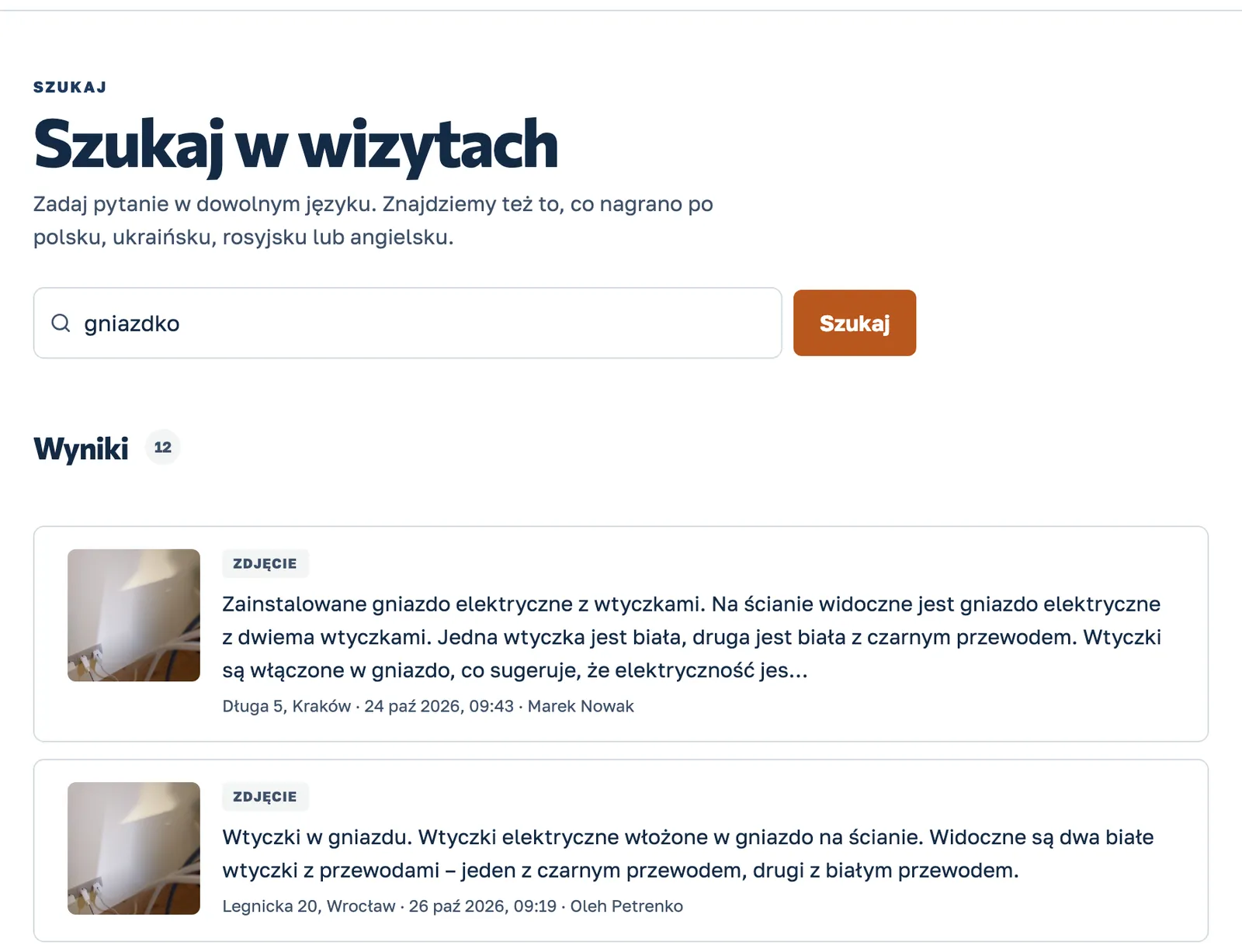
- Search across recordings and photos
- The original is always at hand
- A PDF report for a visit or a project
When someone asks “what was there?”
“Which grout did we use?”
Type “bathroom grout” and see the sentence from the recording and the photo from that visit.
A client question a month later
Open the visit and see the photos and the recording from that day next to the summary.
A client report
Download a PDF report for one visit or the whole project in one click.
A crew speaking Ukrainian
Search in Polish and KlaroBud also finds what was recorded in another language. The original stays beside it.
How it works
From the site visit to a decision in three steps
Record the visit.
One button. The worker says what was done and takes photos or short videos. It works without signal too: it sends as soon as the internet is back.
KlaroBud organises it.
Transcript, photo analysis, tasks with due dates and a short summary, ready in a few minutes. The visit lands on the right project by location.
You decide.
In the dashboard you see what needs attention, what happened each day on every site, and you find any detail or photo in seconds.
See KlaroBud on your own site
We will show you how it works using your next job. Let’s talk it through.